Find it without checking every page.
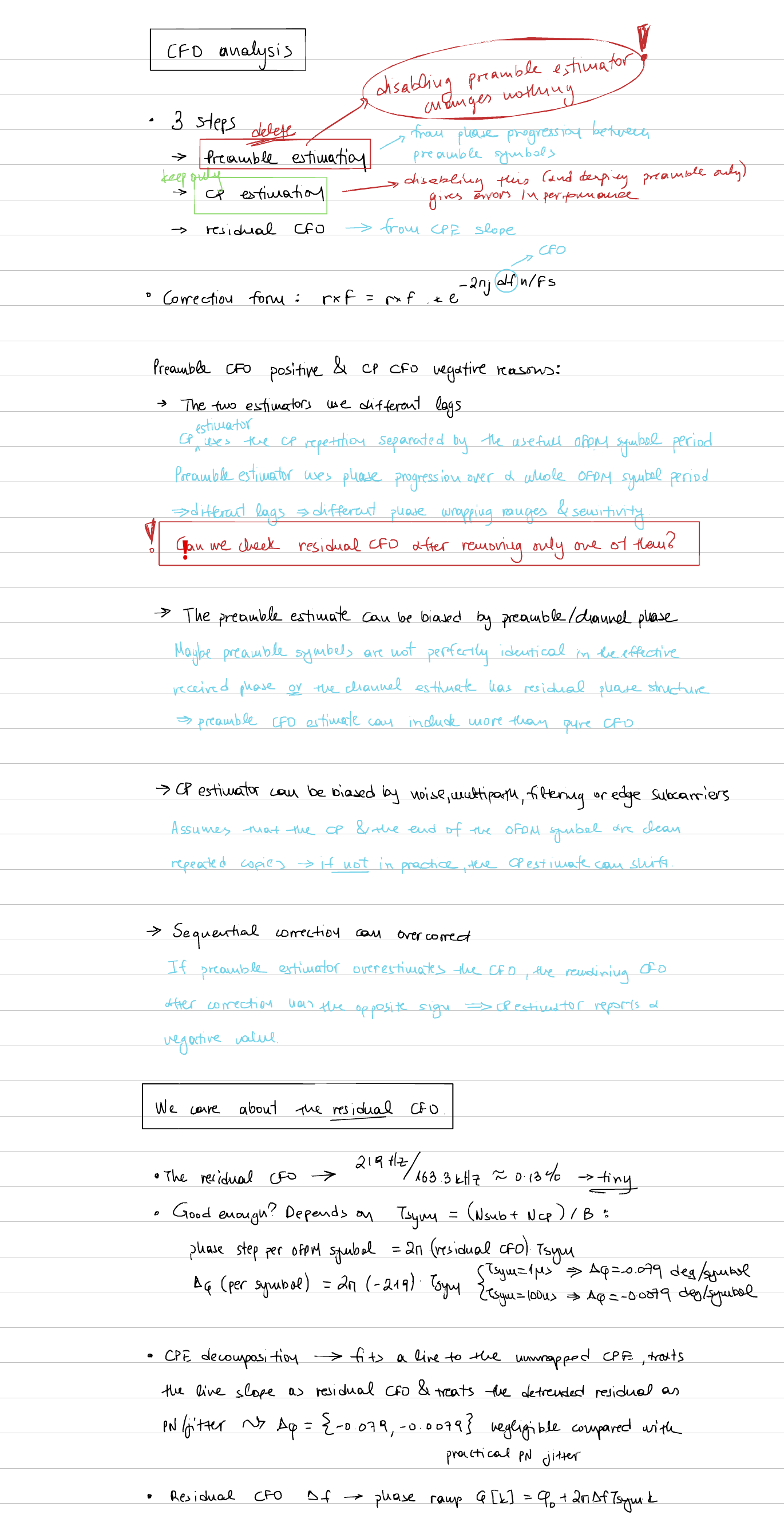
Export your reMarkable notes as a PDF, then drop it into the app. Search the result while keeping the layout, handwriting, and annotations.
 Handwriting to Text
Transcribe handwritten PDFs on your Mac while keeping the original page, layout, and annotations.
Get the betaDownload not starting? Open the latest release ↗
3 PDFs free · $9.99 includes 1 year of updates
Made for Apple silicon · macOS 14 or later
 Copy ⌘ C
Export your reMarkable notes as a PDF, then drop it into the app. Search the result while keeping the layout, handwriting, and annotations.
Your Mac does the transcription. No remote servers process your notes. Download the models once, then use the app offline.
Select an equation in your searchable PDF and copy it as LaTeX instead of typing it out again.
A NOTE FROM THE MAKER
I bought my partner a reMarkable for her birthday. She’s doing a PhD in telecommunications and writes a lot of math-heavy notes. She likes them the way they are, especially with her annotations.
She loves the tablet, but hates that the free text conversion messes up the layout. Having to pay a subscription to make her notes searchable bothered her, too.
I’d been using local models for personal projects and thought I could make something for her. It took a bit more than just running Ollama, but eventually I found a setup that struck the right balance between speed and quality.
The transcription sits on top of her handwritten notes as a text layer. She can search and copy lines straight from the PDF.
NO SUBSCRIPTION.
Try 3 documents free. A document is one PDF,
however many pages it has.
$9.99 USD · includes one year of updates
Download not starting? Open the latest release ↗
Start with 3 free documents.
The searchable PDF keeps the handwritten page and adds a text layer for searching and copying. Your original PDF remains untouched.
No. Export your notes as a PDF and import it into Handwriting to Text. The app processes the file on your Mac without connecting to your reMarkable account.
One PDF counts as one document, however many pages it has. It counts when the app produces an output, even if a page needs review. Failed or cancelled attempts don’t count. Retrying the same document doesn’t use another of your 3.
If the app becomes stable and we’re no longer actively developing it, we’ll waive the renewal fee. You can keep using the version you bought.
Apple silicon Macs running macOS 14 or later. The transcription modes you can use depend on your Mac’s memory. High quality mode requires more than 8 GB of RAM. Local AI modes need a one-time model download.
No. Search relies on the transcription, which can misread words or symbols. It may miss a word that’s visible in your handwriting, and highlights may cover a whole line rather than the exact word. Use the original notes to check the result.
Handwriting recognition can make mistakes, especially with dense equations or unusual symbols. Check copied text and LaTeX before using them in your work. The handwritten original is always there to compare.
Download not starting? Open the latest release ↗
3 PDFs free · $9.99 includes 1 year of updates · Optional $4.99/year renewal